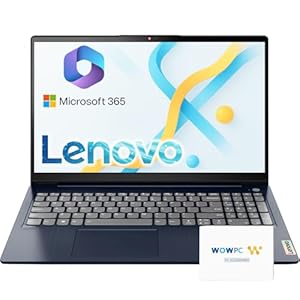
When deciding between Chromebooks and Windows laptops, consider the nuances each brings to the table. Chromebooks excel in speed and affordability for online tasks, while Windows laptops offer broader software compatibility and performance capabilities. The choice ultimately depends on your priorities – whether speed and budget-friendliness for web-based activities or a wider range of tasks and customization options are more critical to you. Each has its strengths, so understanding how they stack up against each other can help you make an informed decision based on your specific needs.
Performance
When comparing Chromebooks and Windows laptops for performance, consider the tasks you need to accomplish on the device. Chromebooks are known for their speed in web browsing and online tasks due to their lightweight operating system, Chrome OS. If your primary activities involve web-based applications, streaming content, or basic document editing, a Chromebook can provide a smooth and efficient experience.
On the other hand, Windows laptops offer a wider range of performance capabilities. With Windows, you have access to a variety of software and applications, making it suitable for more demanding tasks such as video editing, graphic design, or gaming. Windows laptops come in different specifications, allowing you to choose a device with the processing power and storage capacity that aligns with your needs.
Software Compatibility
Consider the software compatibility when choosing between Chromebooks and Windows laptops for your needs. Chromebooks primarily run on Chrome OS, which means they’re more limited in terms of software compatibility compared to Windows laptops. While Chromebooks are optimized for web-based applications and Google services, they may not support all the software you’re accustomed to using on a Windows system.
Windows laptops, on the other hand, offer a wider range of software compatibility due to the popularity of the Windows operating system. You can easily install and run various programs, from productivity software to design tools and games, without compatibility issues. If you rely on specific software applications for work or personal use, a Windows laptop might be the better choice to ensure seamless integration.
Before making a decision, it’s essential to check if the software you need is compatible with the operating system of the device you’re considering. This step will help you determine whether a Chromebook or a Windows laptop better suits your software requirements.
Price Comparison
To compare Chromebooks and Windows laptops, one aspect to evaluate is their price difference. Chromebooks are generally more budget-friendly than Windows laptops. On average, you can find Chromebooks starting at around $200 to $300, making them an attractive option for those on a tight budget or looking for a secondary device. In contrast, Windows laptops vary significantly in price depending on the brand, specifications, and features. While there are affordable Windows laptops available, they often come with lower-end hardware compared to Chromebooks in the same price range.
When considering the price comparison between Chromebooks and Windows laptops, it’s essential to think about what you prioritize in a device. If you need a simple machine for web browsing, word processing, and streaming, a Chromebook could be a cost-effective choice. However, if you require more power for tasks like video editing, gaming, or running specific software, investing in a Windows laptop might be the better option despite the higher price tag.
User Interface
Exploring the user interface on Chromebooks and Windows laptops reveals distinct design differences that impact user interaction. Chromebooks feature a minimalist interface, with the Chrome browser as the main operating system. The desktop is essentially the browser, providing quick access to web applications and the Chrome Web Store. This simplicity appeals to users who primarily work online and prefer a streamlined experience.
On the other hand, Windows laptops offer a more traditional desktop environment with a Start menu, taskbar, and desktop icons. The versatility of Windows allows for greater customization and the ability to run a wide range of software beyond web-based applications. This familiarity makes Windows laptops a popular choice for users who require extensive offline functionality and are accustomed to the traditional desktop layout.
Trending Products